schull.io
A student LMS built around finishing: progress you can see, quizzes that gate the next step, and certificates verified by QR.
- kind
- Client work
- we did
- Product design
- when
- 2025
- status
- Live
the result
Student portal designed and handed off; now live at schull.io.
- 5
- stages in the arc: Discover → Certify
- 3
- quiz states: Locked, Available, Completed
- 1
- QR code on every certificate, checkable at verify.schull.io
the question
what gets a student to finish the course?
what we made
The student portal for a learning platform. Progress stays visible, quizzes gate the next step, assessments run full-screen, and every certificate carries a QR code anyone can check.
the story
the five-stage arc
Learning works in arcs, not lists. Students don't experience a flat catalogue of lessons; they experience a beginning, middle and end with checkpoints. So Schull.io maps to Discover → Enroll → Learn → Test → Certify. Every screen is judged by how well it moves someone to the next stage.
dashboard and store
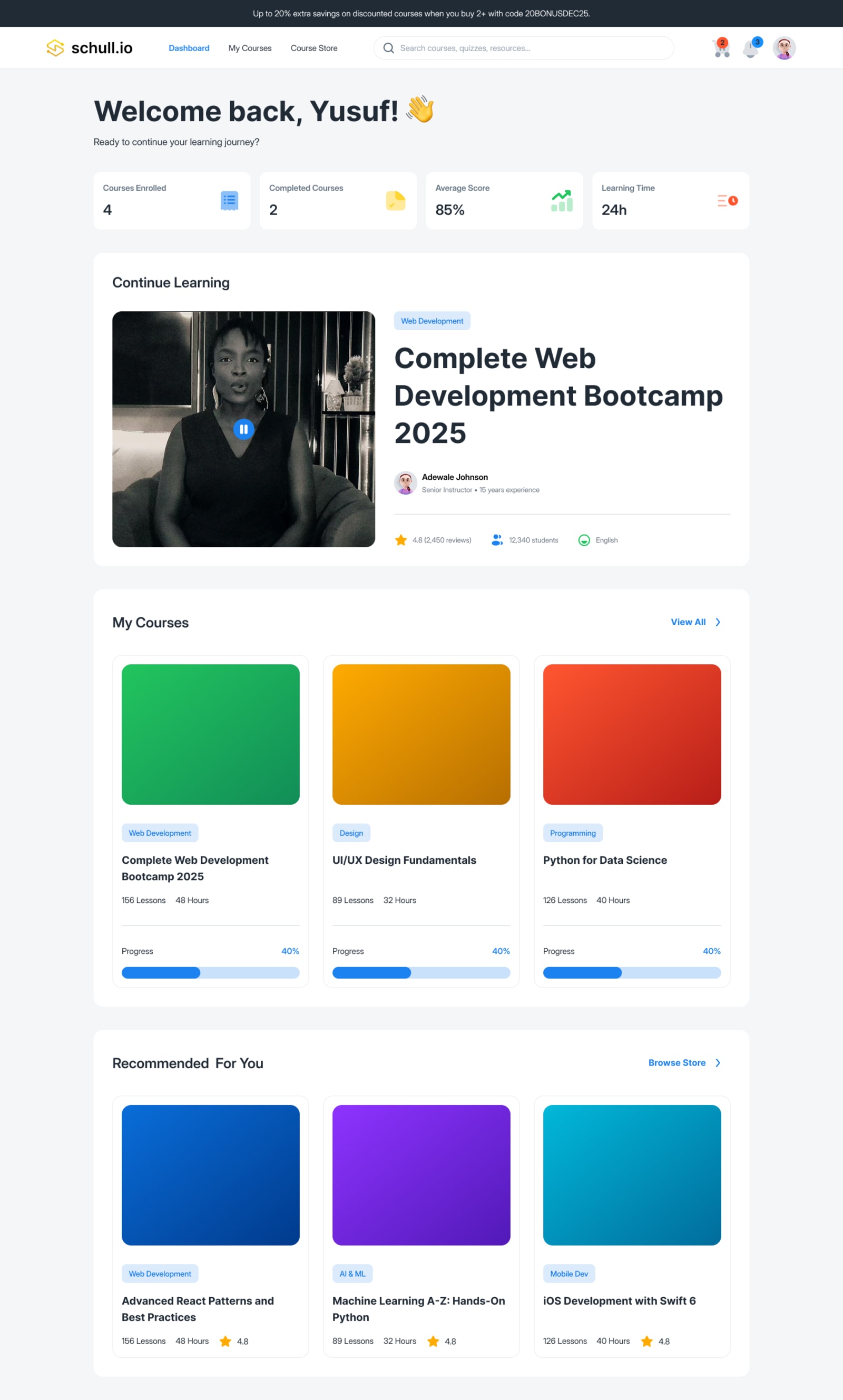
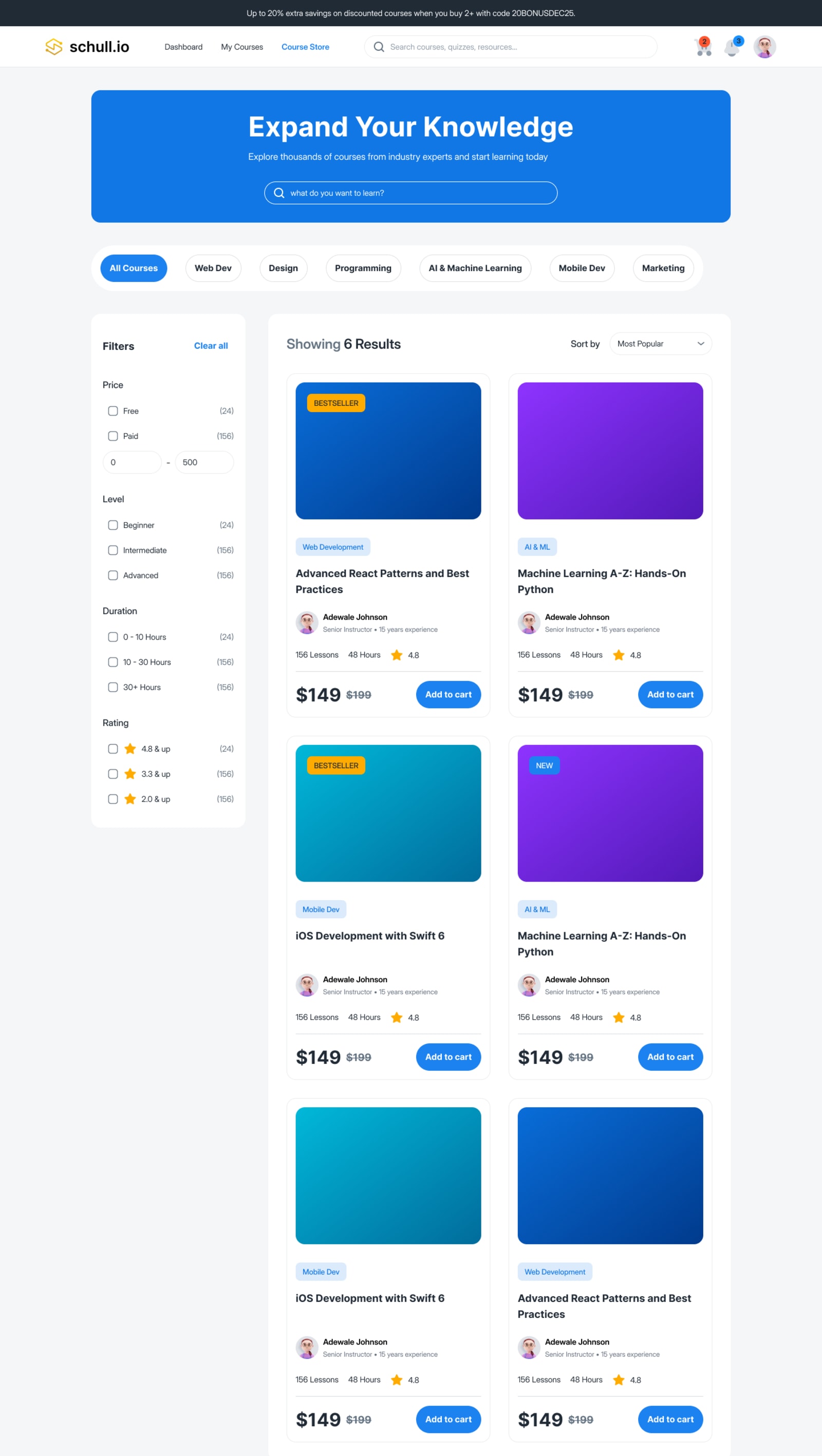
The dashboard is a personal hub: enrolments, completions, quiz average, learning time, a Continue Learning card that picks up where they left off, and recent courses with progress. The Course Store puts search first, with category tabs and filters for price, level, duration and rating.
lesson player
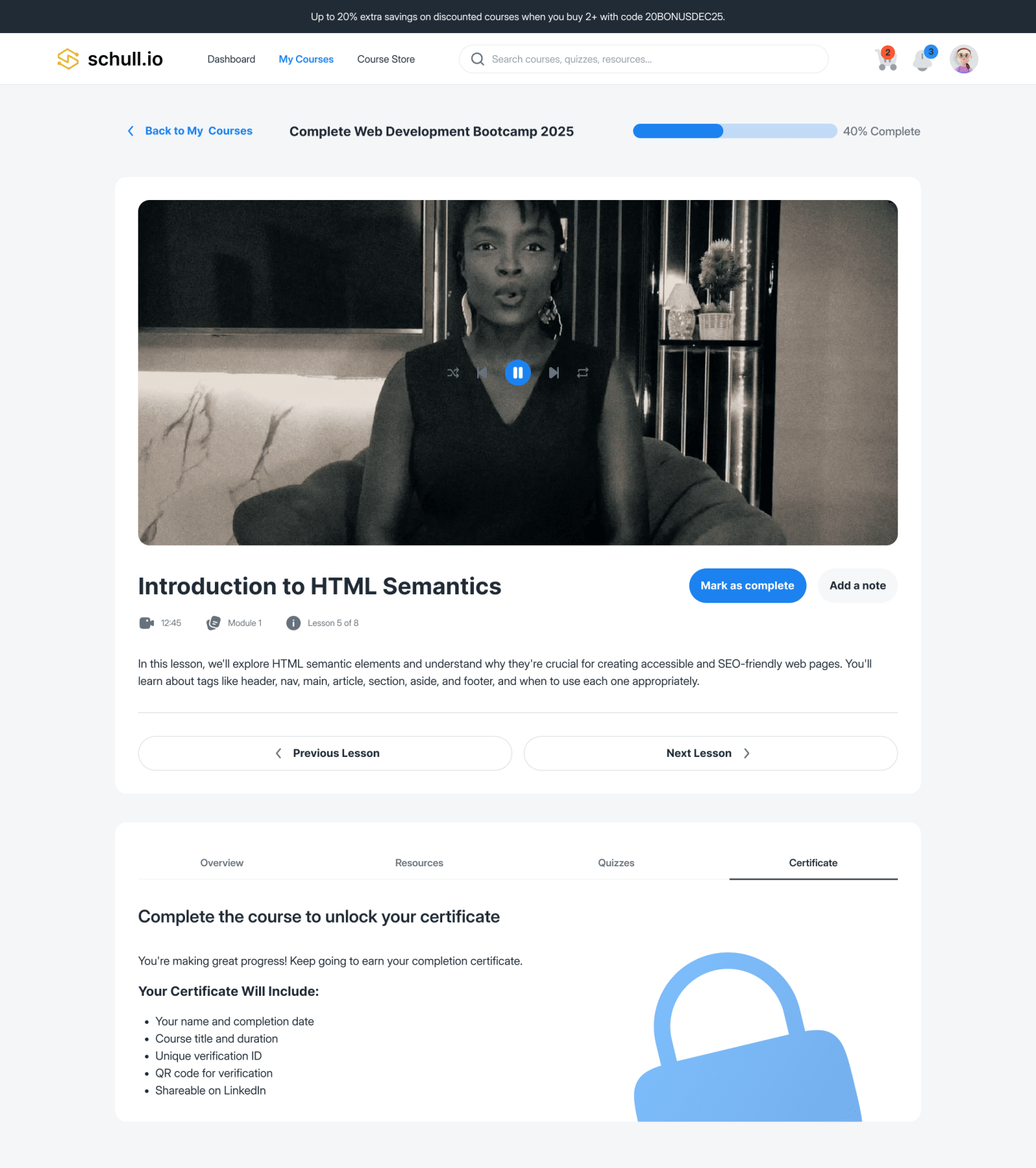
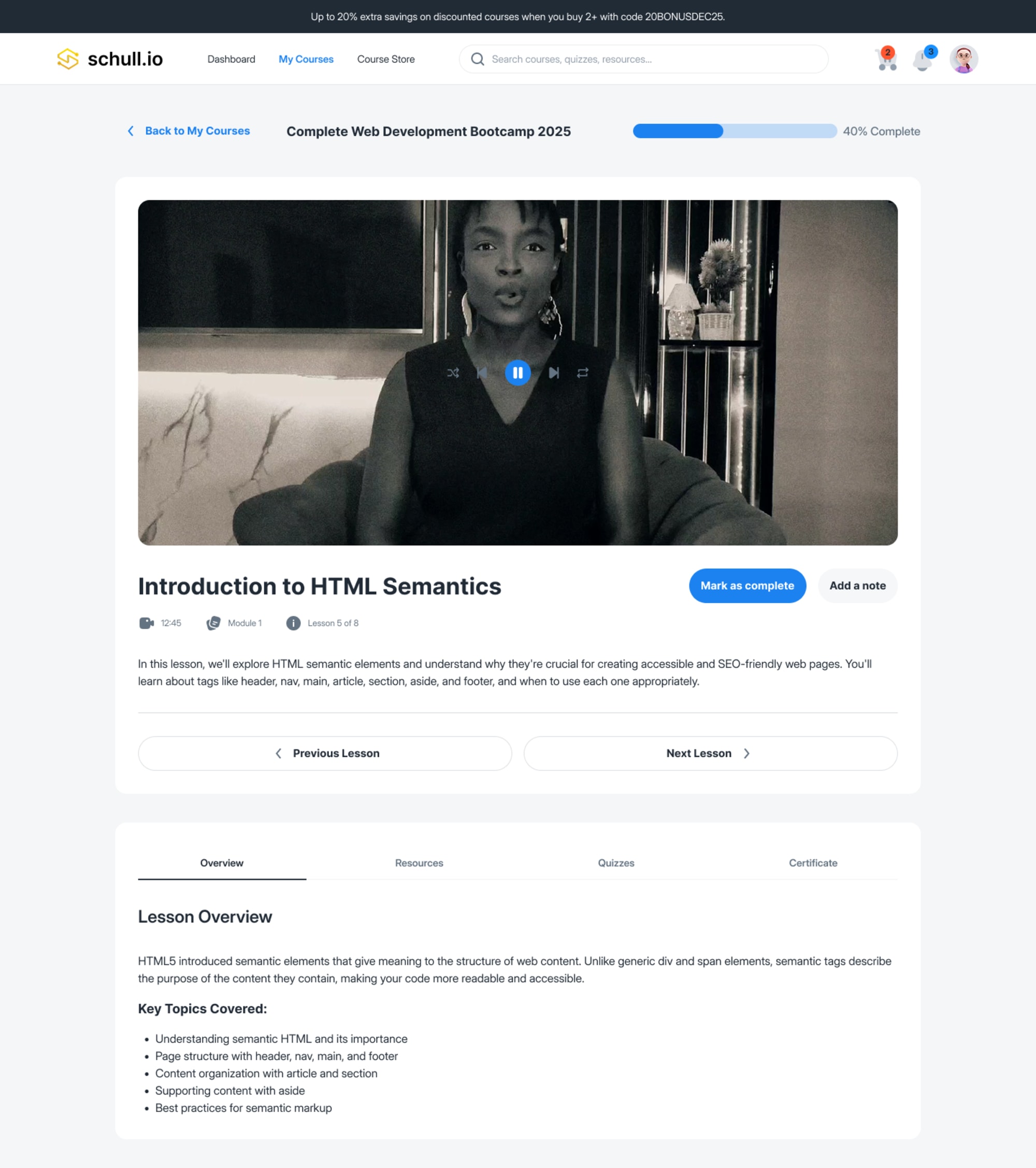
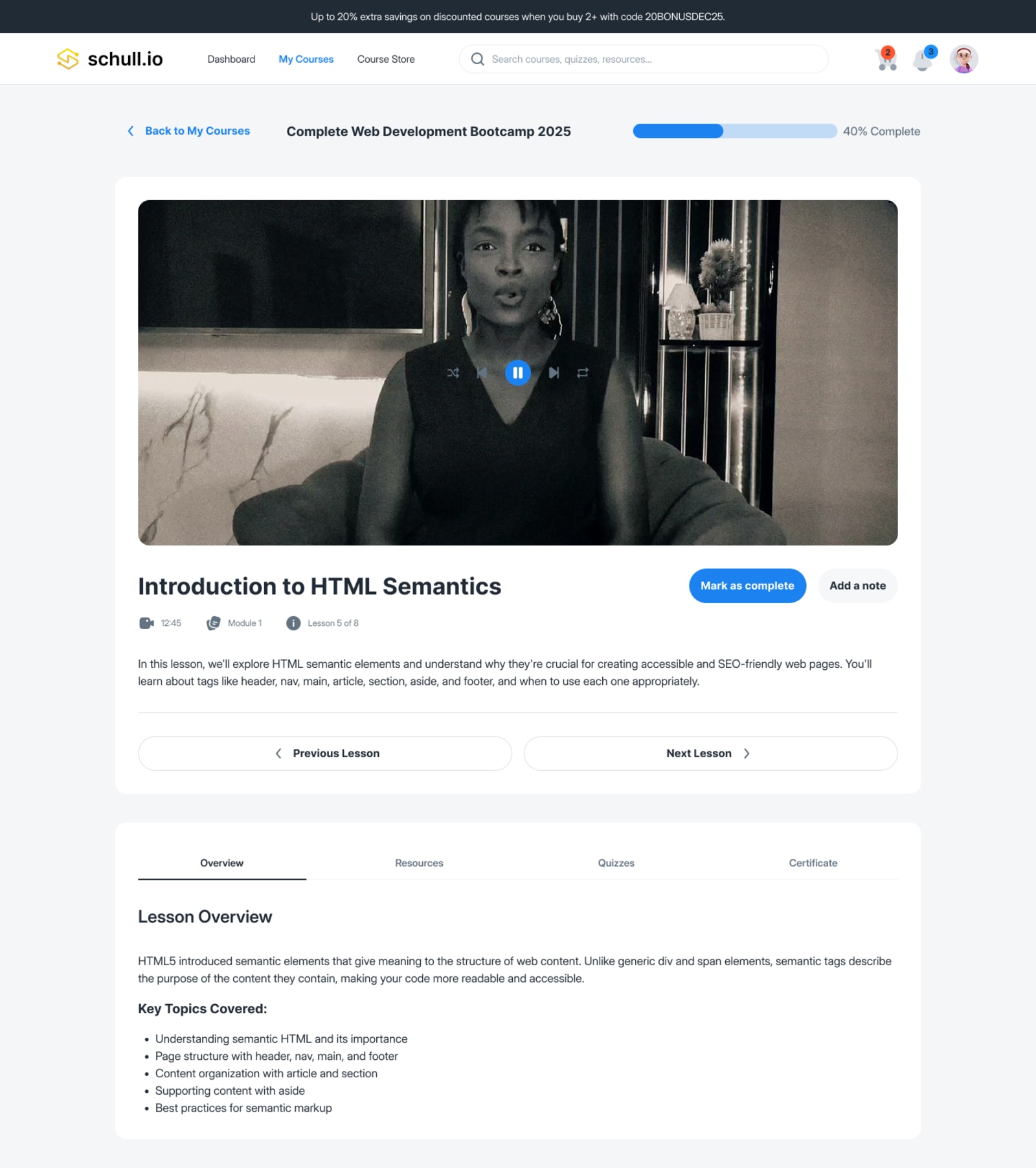
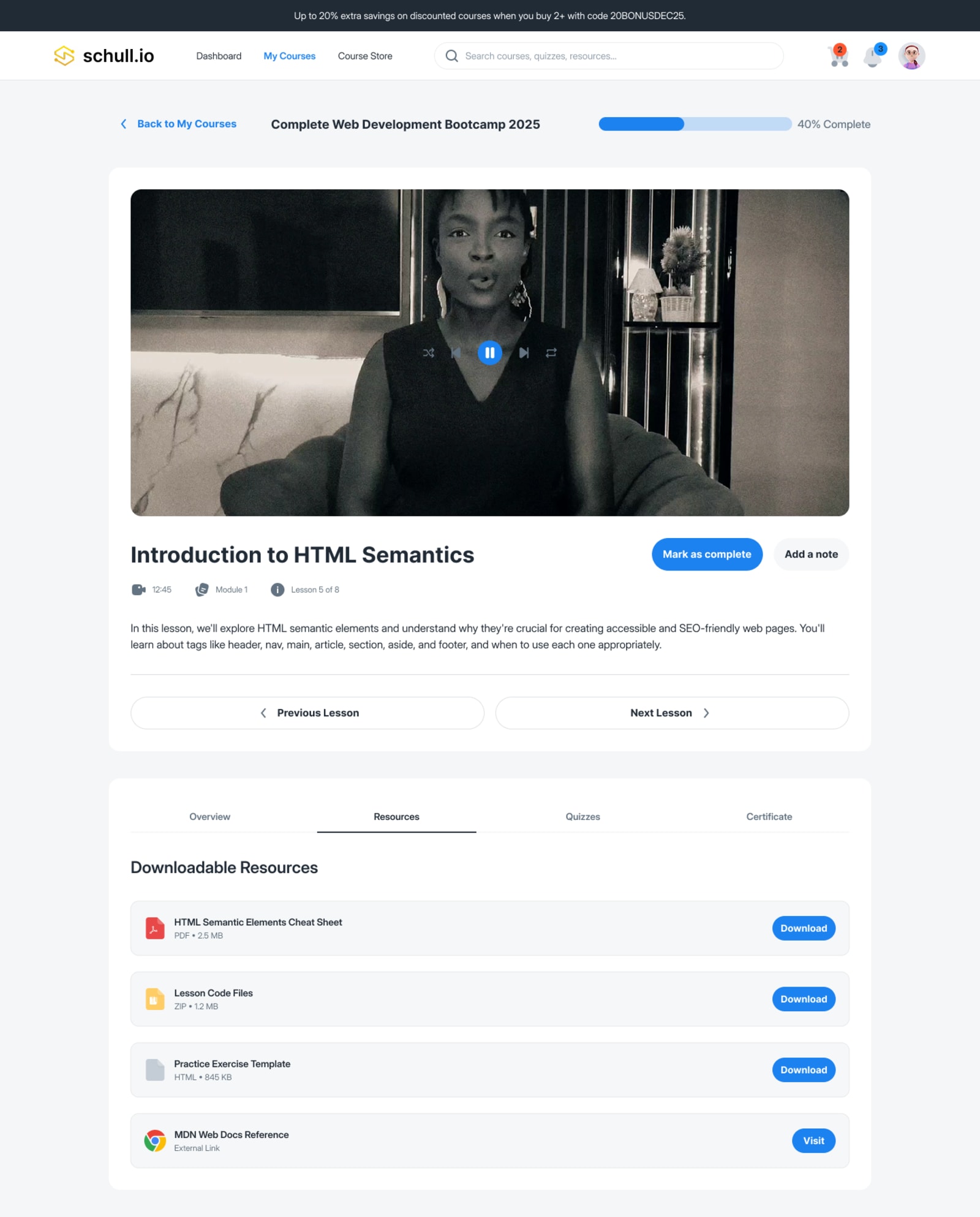
The lesson player is the core. The header always shows the course name and a global progress bar. Below: video, Mark as Complete, Add a Note, and previous/next. Tabbed context keeps Overview, Resources, Quizzes and Certificate on the same lesson. Mark as complete is explicit, not automatic when the video ends, so progress reflects learning, not play time.
quizzes
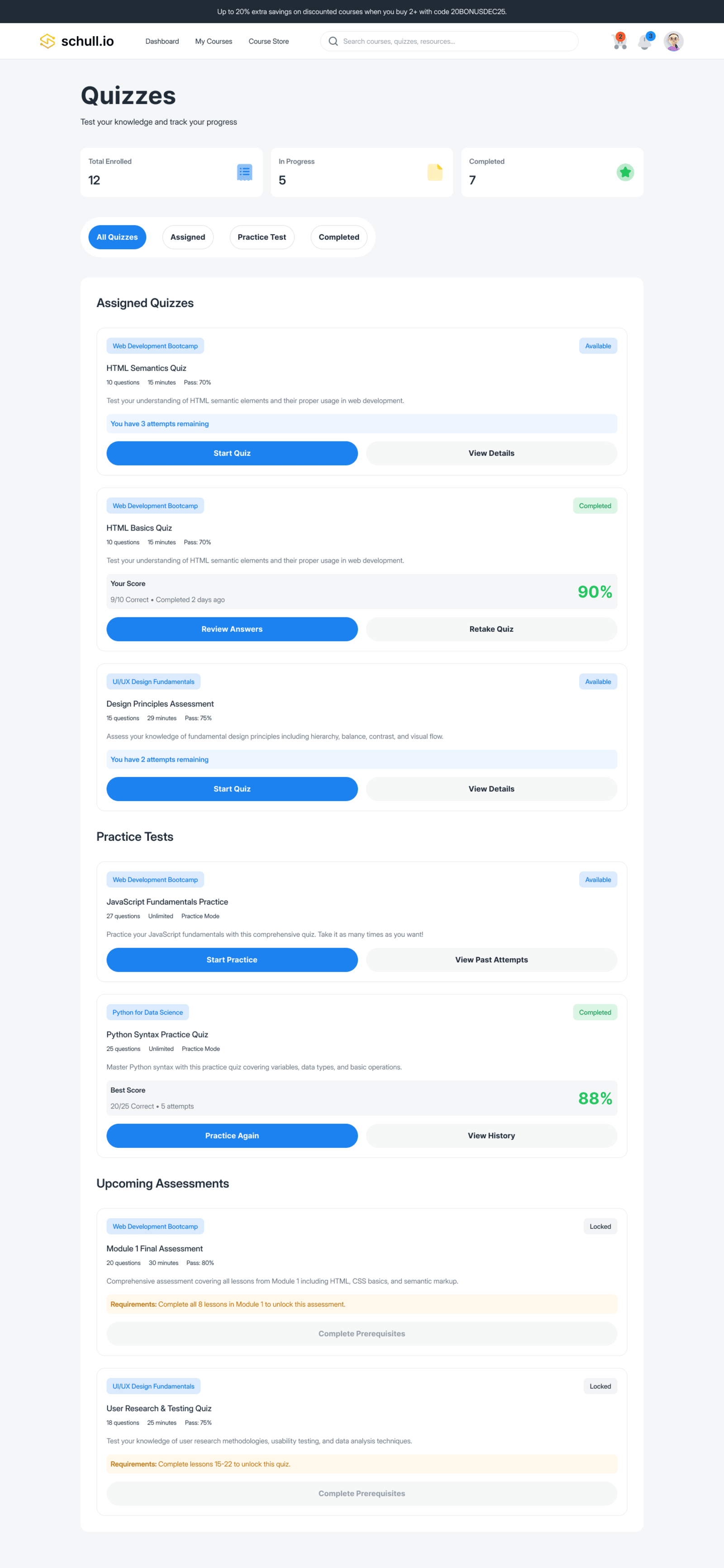
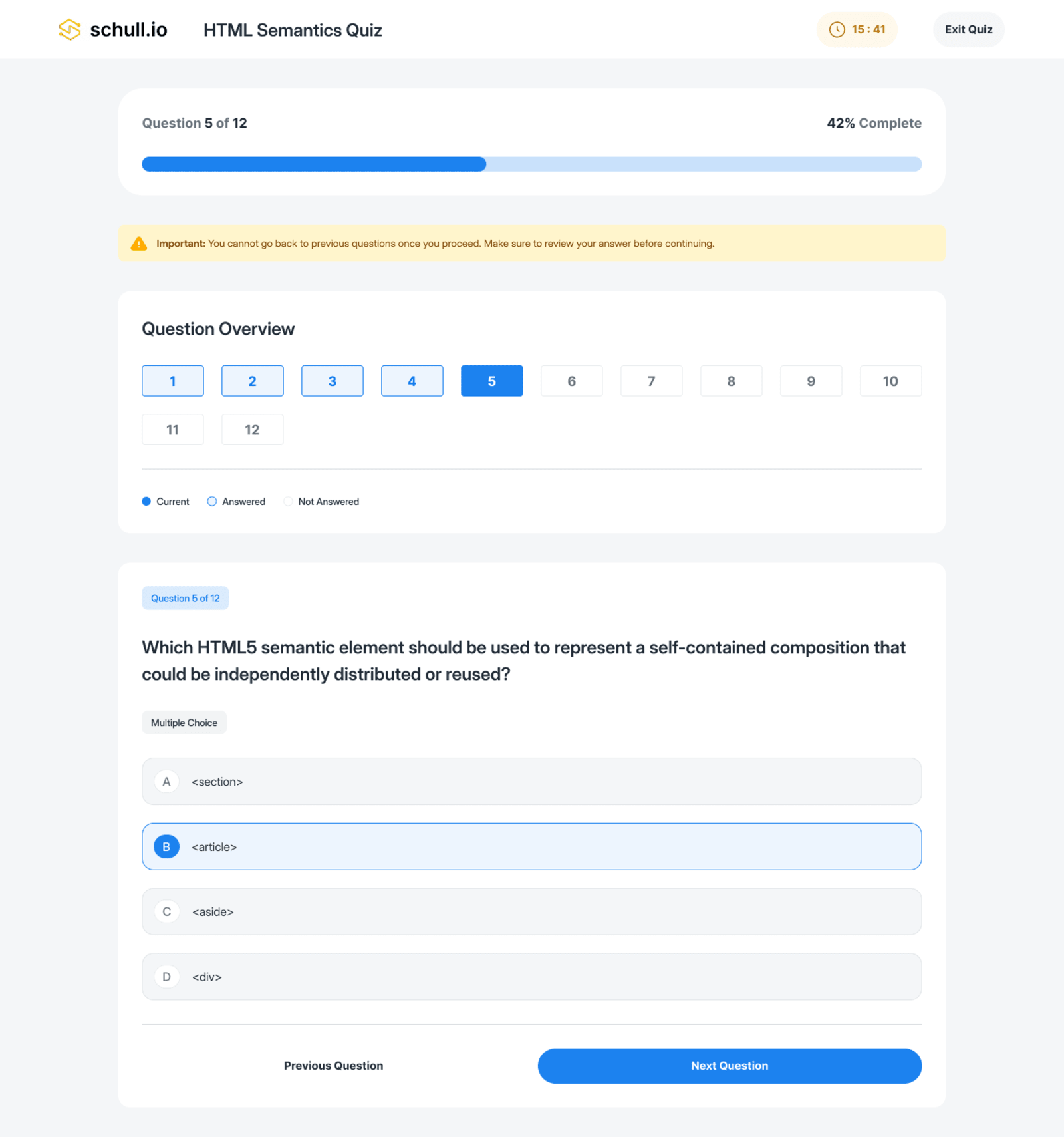
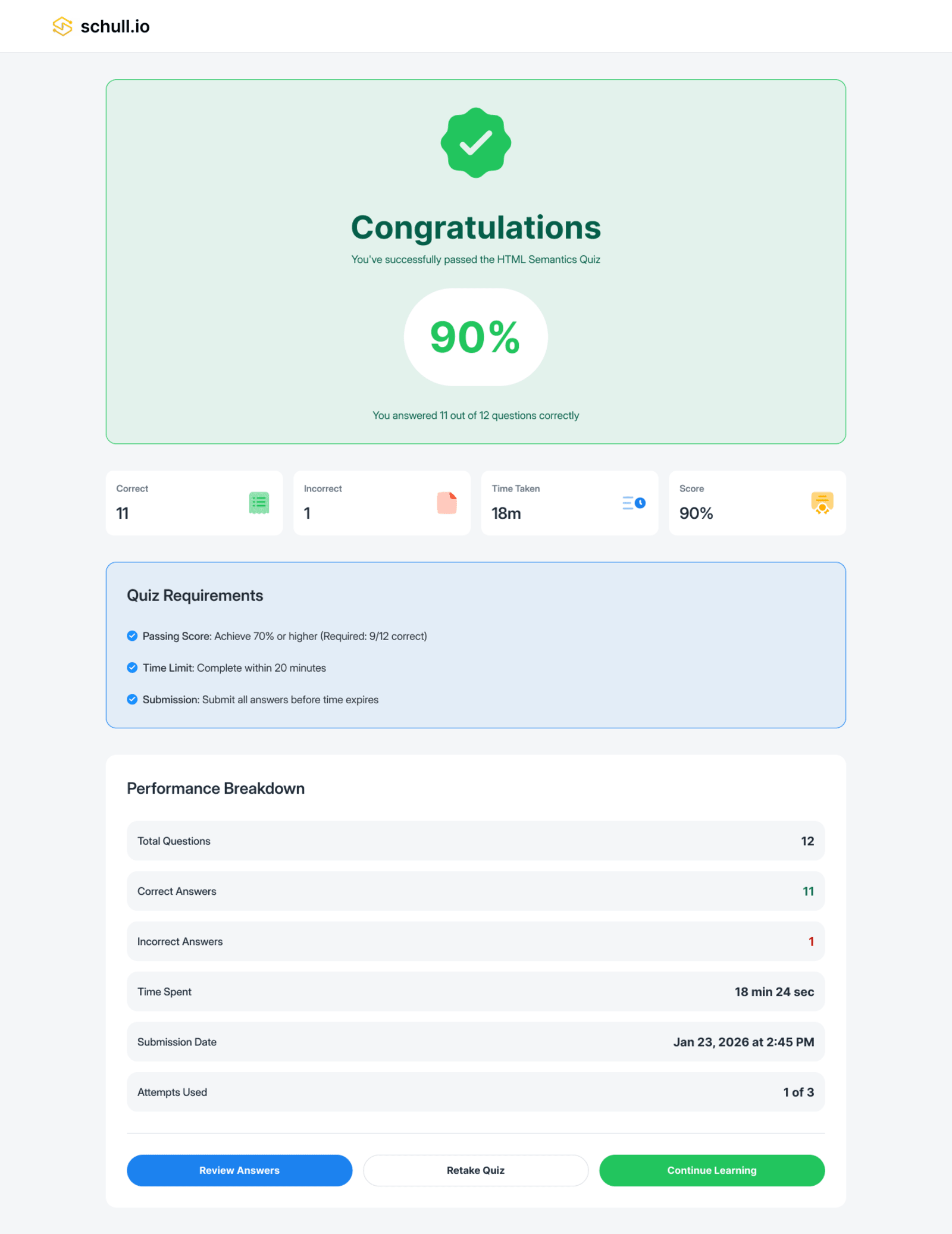
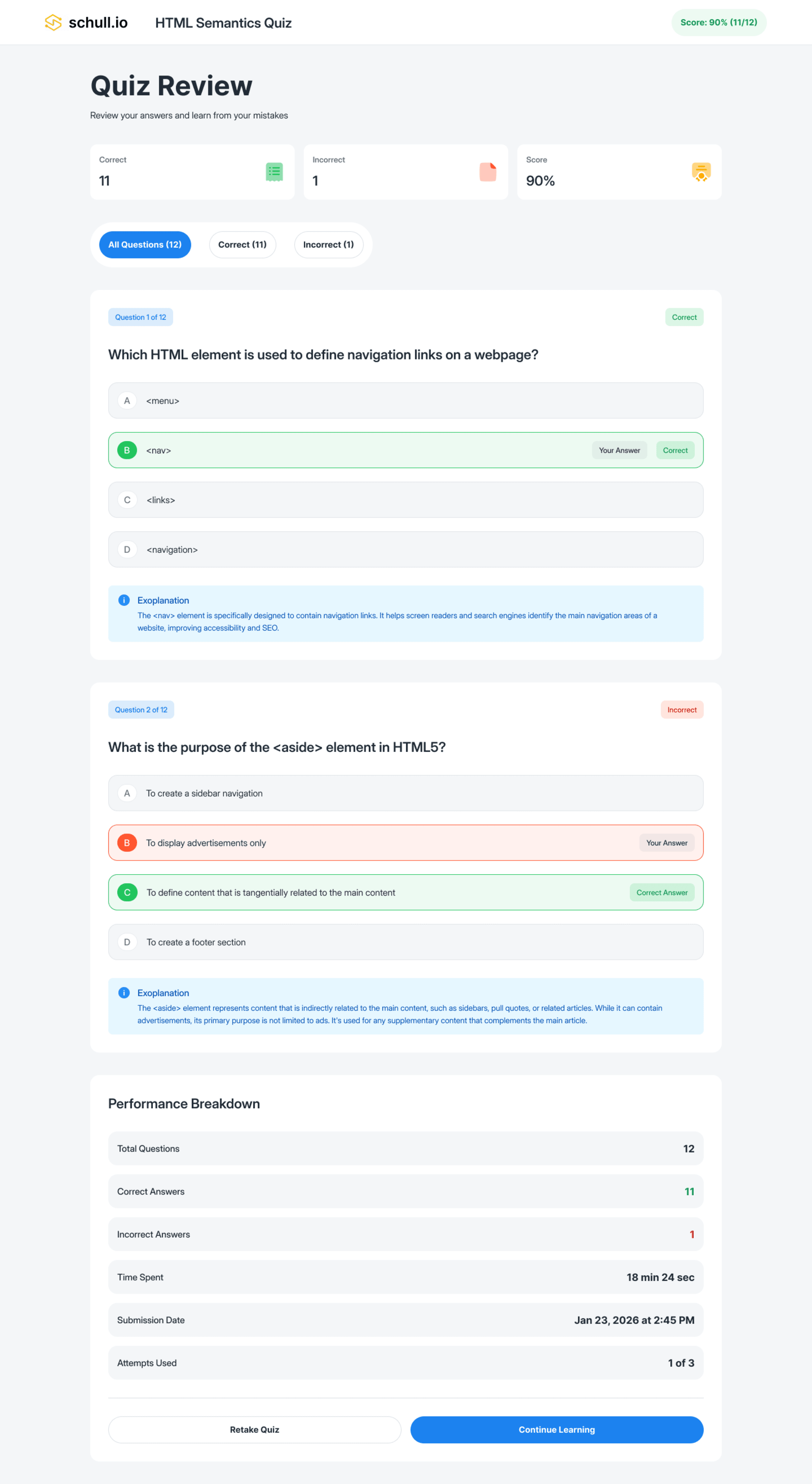
Quizzes are checkpoints, not optional extras. They move through Locked, Available and Completed. A module final assessment unlocks only after every lesson in that module is done. Taking the assessment mid-module is guessing; gating makes it earned. The taking experience is full-screen: logo, quiz name, timer, progress and the question. No course nav to escape into.
certificates
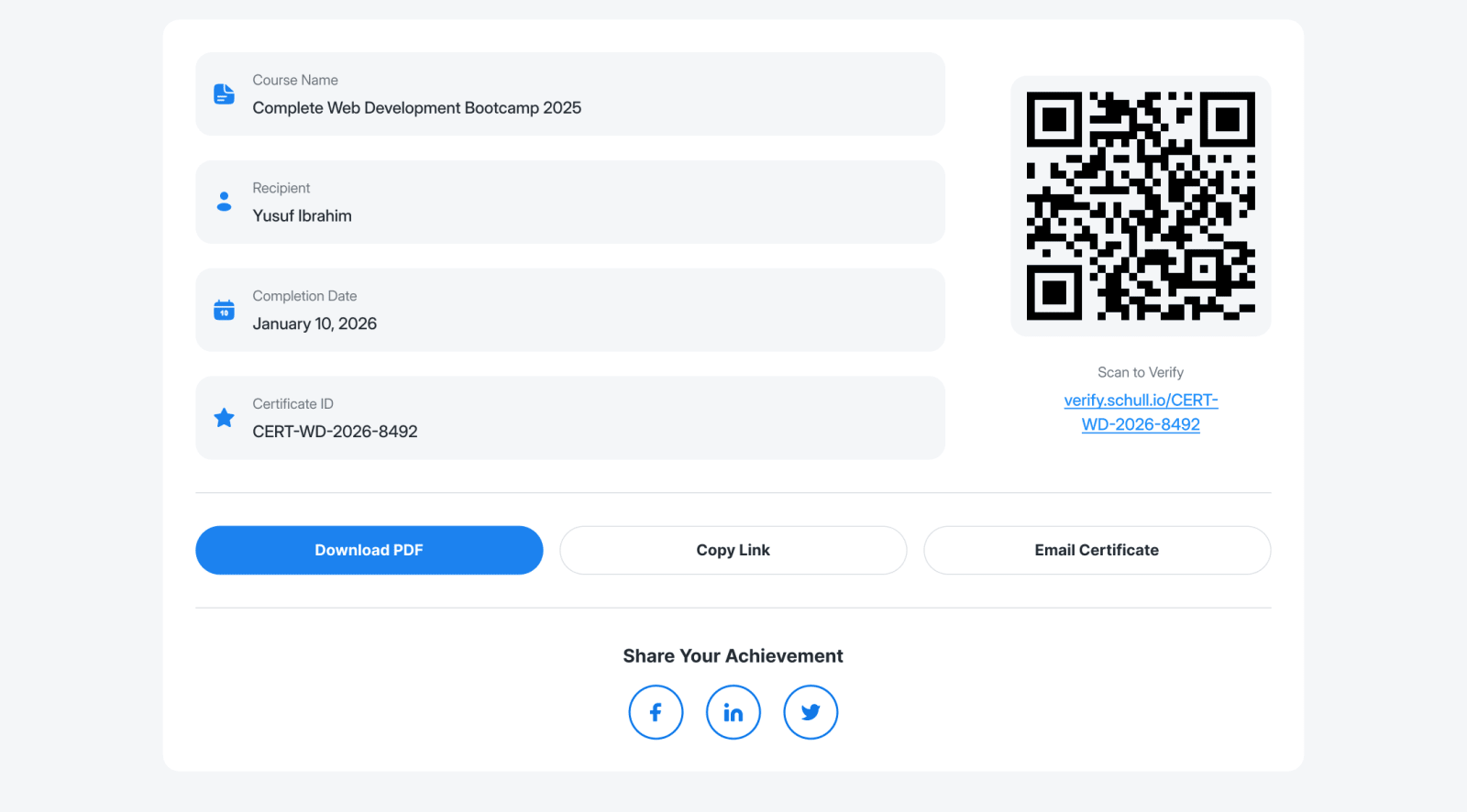
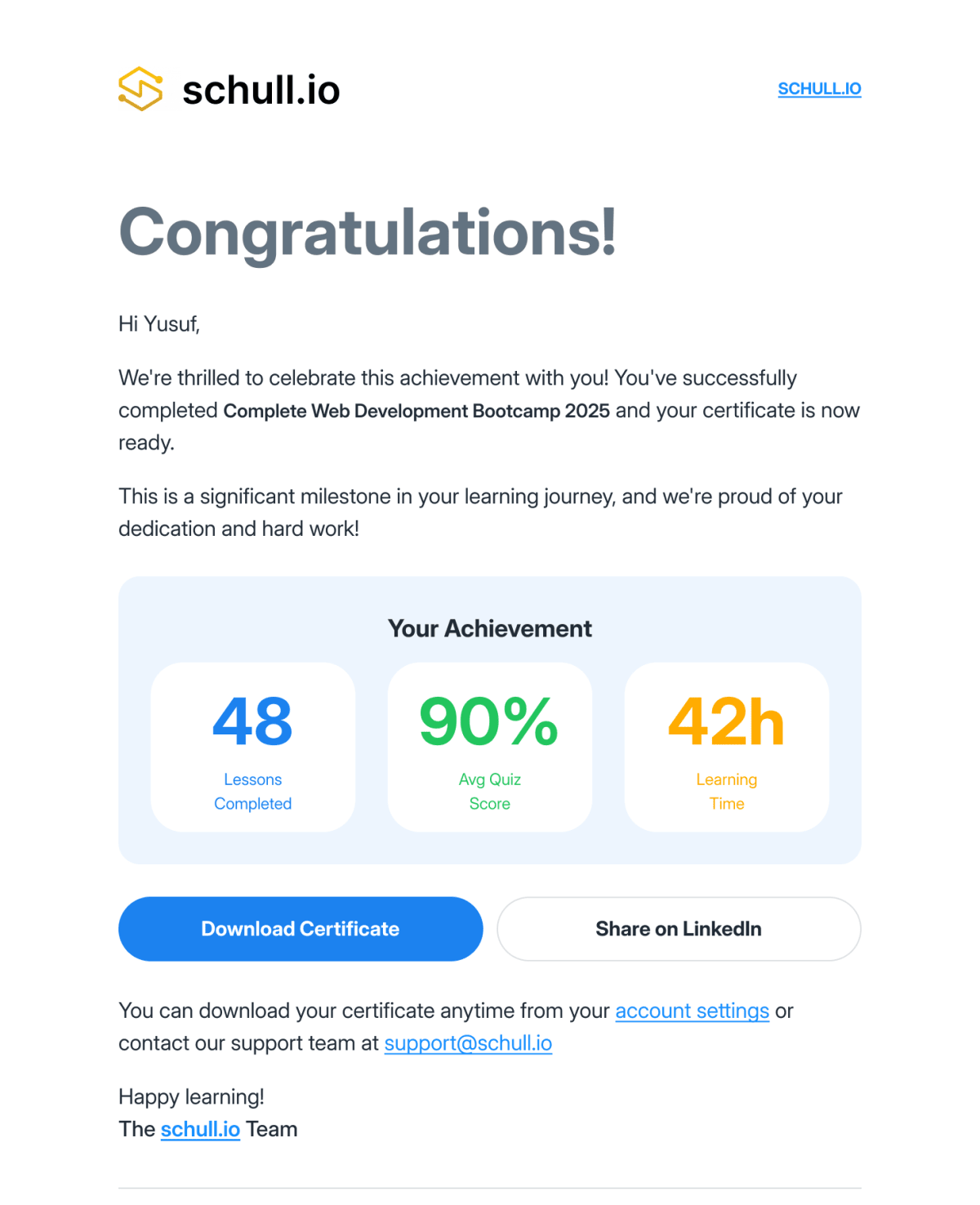
The certificate is a verifiable credential as well as a PDF. Each one carries a unique ID, name, course, date and a QR code to a live verification URL (verify.schull.io). Students can download, copy the link, email it, or share to LinkedIn and other networks. Verification turns completion into something employers can check.